Talking Your Reports Through with Claude
Connect Claude to the Strategy Cruncher and ask it about your reports.
You can connect Claude to the Strategy Cruncher and paste a report link into a chat. Claude reads the report and can explain what it found, help you decide which rule to try next, and point out problems in your data.
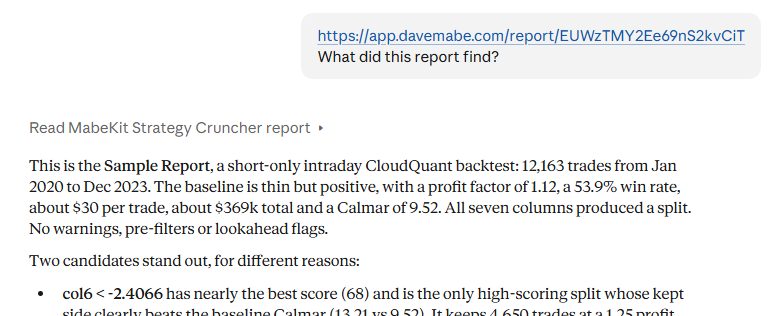
Claude follows the same approach as the last two lessons. It offers a rule or two and asks why each might work for your setup, works one rule at a time, and reminds you that every number comes from the same trades the rules were found in.
Using the Strategy Cruncher with Claude shows how to add the connector and the kind of questions to ask.
Each report has an Ask Claude about this report card at the top that links to those instructions. Once Claude has read one of your reports, the card becomes a Copy link button, so you can paste the next report straight into a chat.
What to Read Next
- Report Metrics explains every part of the report
- MabeKit Score explains the MK badge on each rule
- Crunch Settings explains the settings on the confirm screen
- Next Steps After the Basics has experiments to try once you're comfortable